
AV help desk support that keeps every promise measurable
Raise, triage and resolve tickets with SLA policies and response clocks, so nothing slips and every promise is measured. Proving uptime and SLA at renewal comes from real history, not best guesses.
- Australian-builtSydney team, AU-hosted data
- Brand-agnosticQ-SYS, Crestron, AMX, Extron & more
- Priced per roomQuoted for your estate, no per-device fees
- Multi-siteEvery site, one login
Support & SLA
From the first fault report to the SLA report
One support queue for the whole workplace.
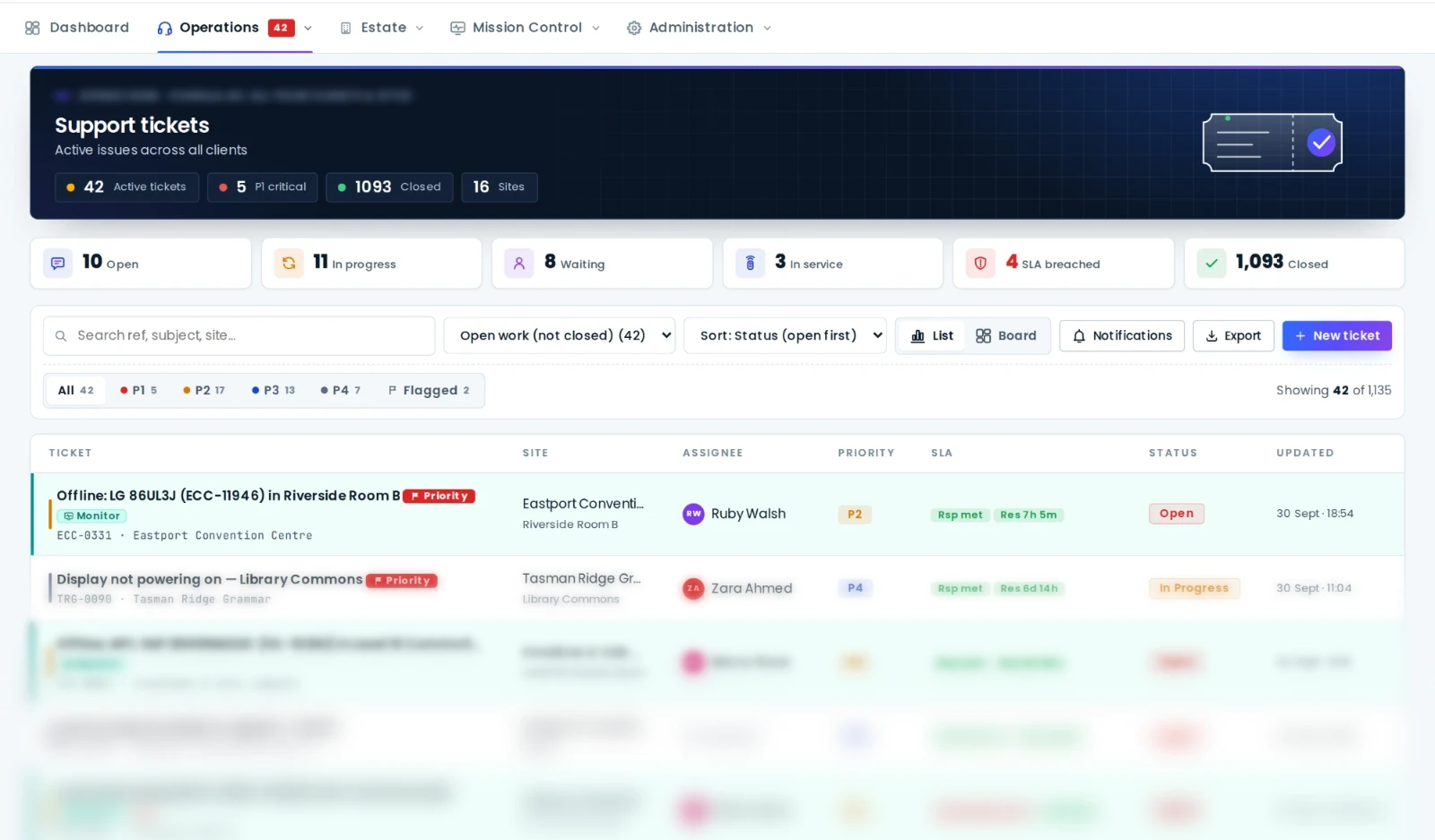
Tickets with SLA clocks
Raise, triage and resolve tickets with SLA policies and response and resolution clocks, so nothing slips and every promise is measured.
QR room labels
Every room gets a scannable label that opens a public room page: the gear inside, how-to guides and a one-tap way to report a fault. No login needed.
Every ticket carries the asset
Tickets link to the asset record, so the fix lands on the device's service history and the register stays honest.
Maintenance & visits
Schedule recurring service and preventative work on a live calendar. Everyone sees what's booked and what's been done, with nothing to chase.
Reports & SLA insight
Estate health scores, uptime, service and SLA reports you can hand straight to leadership. Clean, current, exportable.
Scoped logins for everyone
Facilities, IT and stakeholders log in to a scoped view of tickets, visits and reports, while your core team runs everything centrally.
The support queue
Response and resolution clocks with real history
Alerts from live monitoring, faults reported from a QR label and requests from your stakeholders all land in the same queue, with the asset, the room and the site already attached.
- SLA policies per site with response and resolution targets.
- Monitoring alerts become tickets so a device offline is worked, not just noticed.
- Audit trail: tickets, visits, remote commands and changes are recorded for your team and your auditors.
- Self-managed or AVDesk Managed Support, and you can switch between the two at any time.

Runs on Ody
One small box in the comms room runs the whole site
Ody sits on the site network and controls and manages the AV equipment in every room. It keeps watch, carries your commands and keeps the asset register current, over an encrypted, outbound-only link to AVDesk. It talks to AV equipment only.
- Every room. Displays, projectors, DSPs, cameras, mics, panels and signage, from any brand.
- Every asset. The AV equipment it finds lands in the register for you to approve.
- Every command. Power, mute, presets and reboots from the support desk, all logged.
In practice
Self-managed, or managed by us
After commissioning you can run the estate self-managed with your own AV or IT team, or choose AVDesk Managed Support and have our team watch the monitoring, work the tickets and meet the SLAs for you. You can switch between the two at any time.
Either way, the queue is the same. A device that drops offline raises an alert before the meeting starts; a lecturer who scans the room label reports a fault in one tap; an integrator visit is booked on the live calendar and closed against the asset record. At renewal time the SLA report shows what was promised and what was delivered.
Support and SLA tooling is included for every room, and AVDesk is priced per room. Managed Support is quoted per estate. Talk to us about yours.
Questions
Good to know
Who runs AVDesk day to day?
Can people report a fault without an AVDesk login?
Can other teams and stakeholders see the tickets?
What is AV help desk software?
Can AVDesk run our AV help desk for us?
More of AVDesk

See AVDesk on your estate
Book a walkthrough and we'll show you your sites, devices and assets running in one place.