
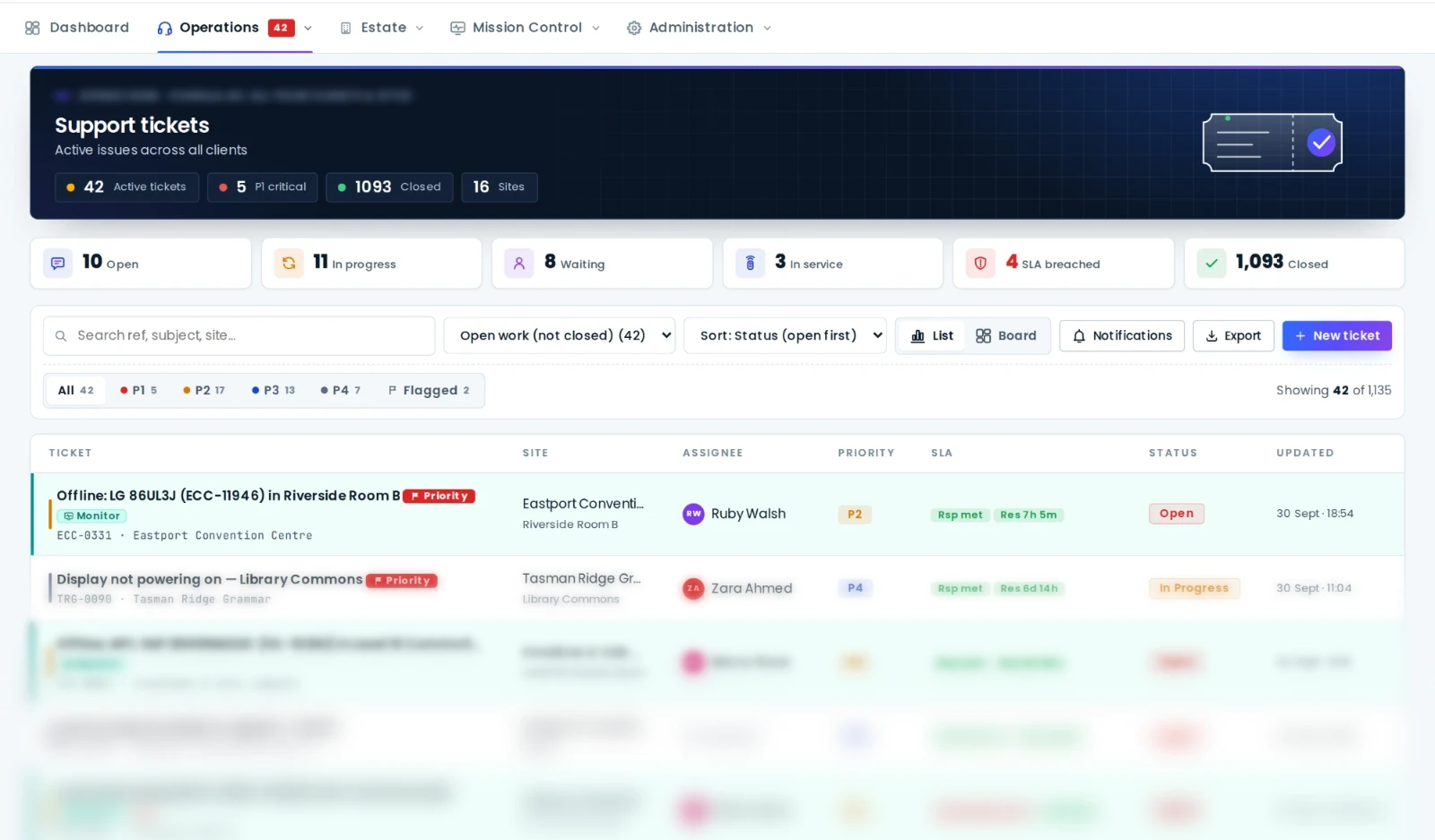
- An AV ticket is about a place and a piece of equipment; a generic help desk is about a person and a category.
- Three intake channels matter: a QR code in the room, email to a per-site mailbox, and monitoring alerts that raise tickets automatically.
- SLA clocks per priority, pausing while waiting on the requester, and public ticket links are what make service measurable and visible.
- Because the ticket links to the asset, history accrues where it's useful: on the equipment, driving repair-or-replace decisions.
A ticket about a room, not a requester
Generic help desks were designed around a person with a problem: a requester, a category, a description, an agent. That model works for password resets. It fails for AV, where the thing that matters is the room and the equipment in it. "Boardroom 2 is down" is the unit of AV support: it's what users report, what technicians are dispatched to, and what the equipment history hangs off. An AV support ticketing system starts from the room and the asset, and attaches the requester, rather than the other way round.
In AVDesk every ticket is linked to a site, a room and, where known, the specific device. That link is what makes everything else on this page possible.
Three ways a ticket should arrive
- A QR code in the room. Whoever is standing in the room (staff, lecturer, hirer, patient) scans the code on the wall and gets a fault form for that exact room. No app, no login, no "which room are you in". The ticket lands already linked to the room and its equipment. This is the channel that surfaces the human-observable faults monitoring can't see: the crackle, the flicker, the intermittent.
- Email into a per-site mailbox. Each site can have its own support address; mail into it becomes a ticket, replies thread onto it, and the requester never has to learn a system. Site administrators can be notified of new tickets and replies for their site.
- Monitoring alerts, automatically. When the on-site Ody box detects a device dropping offline, a ticket is raised against that device under the site's alert policy. If the device recovers and holds, the ticket auto-closes; if it fails again, the same ticket reopens rather than a new one spawning. Flap suppression means a bouncing switch port produces one ticket with a note, not twenty.
Linked to the asset, so history means something
Because the ticket points at the device, the device's record shows every ticket, alert and fix it has ever had. That history is what turns "that room is cursed" into a case: this processor has locked up eleven times this quarter; this display has been power-cycled weekly since March. It's also what makes the repair-or-replace decision a matter of record, alongside the asset's written-down value and warranty, rather than instinct.
SLA clocks that reflect reality
SLA policies in the AVDesk support desk set response and resolution targets per priority. A P1 room-down in a courtroom and a P4 cosmetic issue in a huddle room get different clocks. The clocks pause while a ticket is waiting on the requester, so the team isn't penalised for a hirer who hasn't replied, and SLA compliance is reported honestly. Tickets at risk of breaching show on the dashboard and the wallboard before the breach happens, not in the monthly report.
Assignment, and the first screen of the day
Tickets are assigned to people, and the tickets assigned to you sit pinned at the top of the desk. The dashboard's "assigned to you" lanes pull your tickets together with your maintenance jobs and tasks, so a technician's day starts on one screen. Sorting by status, updated time, assignee and priority, and a board view beside the list, keep a busy queue legible.
Requesters see progress without an account
Every ticket has a public link. The person who reported the fault follows its progress and replies from that link, with no login, which is the only way non-staff requesters (hirers, hall users, visiting lecturers) will ever engage with a ticketing system. Internal notes stay internal; replies go to the requester; the difference is explicit.
The wallboard and the sound of a new ticket
An AV office or a NOC wants the queue on the wall. AVDesk's wallboard shows the estate's health and the ticket queue for a big screen, with audible alerts when a ticket arrives or goes overdue, and a per-user toggle for people who'd rather watch than listen.
Reporting leadership will read
SLA compliance by priority and by team, mean time to resolve, ticket volume by site and room, repeat-offender rooms, and the trend lines that show a preventative program working: fewer P1s, fewer repeats, faster fixes. Because assets, tickets and monitoring share one platform, these reports exist without anyone compiling them.
Built for integrators serving many clients
An integrator's service desk supports many organisations. AVDesk's tenancy lets the integrator see and work every client's tickets in one queue while each client sees only its own sites and tickets, with per-site permissions and per-site support mailboxes. One desk, many estates, no leakage.
Generic help desk versus AV support desk
| Generic IT help desk | AVDesk support desk | |
|---|---|---|
| Unit of work | A requester and a category | A room and its equipment |
| Fault reporting | Portal login or email | Room QR code, email, monitoring alerts |
| Automatic tickets from faults | Rarely, via integration | Built in, with reopen, auto-close and flap suppression |
| Equipment history | Separate asset tool, if any | On the asset, with alerts, tickets and fixes |
| Fix from the ticket | No | Power, preset, reboot over the device's protocol, logged |
| SLA clocks | Yes | Yes, per priority, pausing on requester |
| Requester visibility | Portal account | Public ticket link, no account |
| Rosters, tasks, maintenance | Other tools | Same platform, same people |
A generic help desk records that someone complained. An AV support desk records that a device failed, who fixed it, how long it took, and whether it's happened before.
The support desk is one module of one platform for AV support teams. Book a demo and bring a week of your inbox; we'll show you it as a queue.

