
- Function AV is revenue: a failed room is a refund. The platform has to find faults before the event, not during it.
- Wakeup checks run against the day's booked rooms, and most faults close remotely with a preset recall or a reboot.
- Event managers and hirers report faults from the room by QR; casual crews are rostered around the events calendar in the same platform.
- Kit moves between rooms constantly; QR scan-and-move and camera stocktakes keep the register true through every refurb.
Function AV is revenue
A corporate office with a broken boardroom loses a meeting. A venue with a broken function room loses the booking, and probably the client. Ballrooms, boardrooms, breakout rooms, the bistro's screens, the auditorium, the outdoor terrace's audio: every one of them is sold, scheduled and expected to work exactly when the run sheet says. And the equipment in them is under more stress than any office: reconfigured for every event, moved between rooms, plugged into by every presenter's laptop.
The team responsible is usually small: an AV manager, a couple of technicians, casuals for the big events, and an integrator on a contract. They are excellent at making events work. What they lack is a way to see the whole venue at once, and a system that keeps up with how fast the rooms change.
Event-day readiness, before the client arrives
- Wakeup checks on the day's rooms. The on-site Ody box verifies the projectors, displays, DSPs and processors in the rooms booked today, hours before bump-in. Anything that doesn't respond becomes a ticket while there's still time.
- Presets from the desk. Recall the ballroom's "conference" preset, switch the breakout rooms to the right input, reboot the processor that locked up overnight, all from the AV office over the equipment's own control protocol, with every command logged.
- Pre-event checklists as tasks. The run-sheet items that have to happen before doors open, the lectern microphone test, the confidence monitor, the streaming encoder, are tasks with people on them, ticked off from a phone in the room, visible to the AV manager without a radio call.
Hirers and event managers report from the room
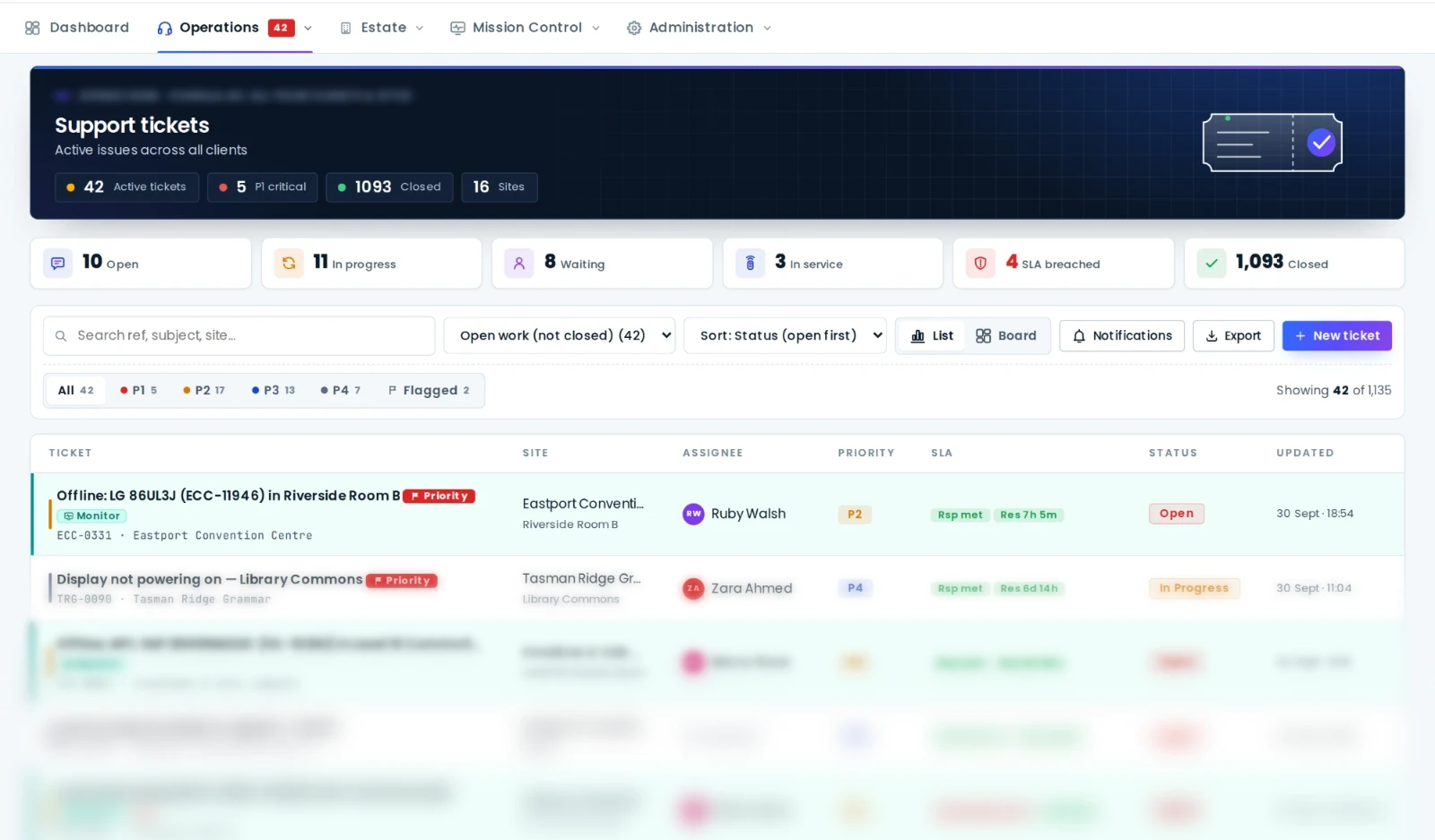
Every function room carries a QR code. The client's event coordinator, the banquet supervisor or the hirer scans it, types "left screen has gone dark", and the ticket lands in the support desk linked to the room and its equipment, with a public link so they can see it being handled. Faults get to the AV team in seconds instead of via the duty manager's radio, and the history of faults per room tells you which room is due for a rebuild rather than another call-out.
Rostering the crew around the events calendar
Venue AV crews are rostered around events, not office hours: early bump-ins, late bump-outs, overnight changeovers, weekend weddings, casuals who work three venues. AVDesk's rostering module lives in the same platform as the tickets and tasks, so the person on shift and the person assigned the work are the same person:
- Colour-coded positions and shift templates for the standard calls: day tech, evening tech, event lead, casual.
- Shifts built per event, recurring series for the regular ones, drafts published when the week is set, overnight shifts handled properly.
- Open shifts that casuals claim from their phones, with manager approval if the venue wants it.
- Leave and unavailability with approvals, clash detection against rostered shifts, and a printable roster for the crew room.
Maintenance between events
Venues have windows, not term breaks: the Tuesday between a conference and a gala, the January lull. Maintenance schedules in AVDesk are attached to rooms and generate real tickets, so the ballroom's projector service, the auditorium's lamp change and the wireless microphone fleet's battery replacement all land in those windows, assigned to a technician or the integrator, with a checklist and photos. See scheduling and closing maintenance works.
The register that survives the refurb
Venue equipment moves. The lectern from the boardroom is in the ballroom, the spare projector is on a trolley somewhere, and the radio microphones were last seen at the terrace event. The AVDesk register keeps up because updates happen where the equipment is: every asset carries a QR label, and a scan opens its record for a move, a status change or a note. Stocktakes are a walk through the venue with a phone camera. Hire kit, spares and consumables, lamps, batteries, adapters, are tracked alongside the installed equipment so the AV manager knows what's on the shelf before the event, not during it.
The same register carries cost, depreciation, written-down value and warranty, which is what the venue's finance team and insurer need, and end-of-support dates per model that turn the refurb budget into a forecast rather than an argument.
Multi-venue groups
Clubs with several venues and hotel groups get one platform: an Ody per venue, one register structured by venue, building, level and room, permissions so each venue's crew works their own rooms while the group AV manager sees all of them, one support queue with SLA reporting across the group, and rostering per venue. Casuals who work across venues are rostered wherever they're needed. Groups without enough AV staff can hand the monitoring and ticket work to AVDesk Managed Support.
The ballroom was verified at 6am, the preset was recalled from the office, the coordinator's fault reached the tech on shift in seconds, and the refurb forecast is already in next year's budget. That's a venue running on one platform.
Where venues start
With the rooms that make the money: the ballroom, the auditorium and the boardroom. An Ody on the venue network, the equipment list imported, QR codes in the rooms, wakeup checks on the booked rooms, and the roster module switched on for the AV crew. Book a demo and bring next month's events calendar.

